
Learn Lightroom
Check start time in your local Time Zone
Number of Live Lessons: 4 – Lesson Duration: 120 mins
Master Your Workflow: Learn Lightroom
Stop fighting the software and start perfecting your photos.
Are you frustrated by a cluttered hard drive? Confused by the different “types” of Lightroom and wondering which one is actually right for you? Whether you’re intimidated by the Lightroom Classic interface or puzzled by the Lightroom Cloud ecosystem, you aren’t alone.
Technical hurdles shouldn’t stand between you and a great photograph.
Learn Lightroom is a 4-week online class designed to strip away the jargon. We’ll help you choose the right workflow for your needs and give you a step-by-step guide to editing your pictures like a pro.
Location
Online via Zoom
Duration
4 Week Class (You can access recordings and additional class material for 12 months)
Price
Members: £59.00 | €67.80 EUR* | $80.75 USD*
Non Members: £99.00 | €113.80 EUR* | $135.45 USD*
* Your purchase will be processed & charged in £ GBP – prices shown for $ USD & € EUR are provided only as an estimate
Online Lightroom Class – What You’ll Learn
- The Great Debate: Clear, simple explanations of the differences between Classic and Cloud so you can use the version that fits your style of photography.
- Total Organization: Say goodbye to “lost” imports and duplicate files. Learn how to manage your library—whether it’s on a hard drive or in the cloud.
- Pro-Level Editing: Master the powerful tools both versions share. Learn how to make your images pop using a professional, repeatable workflow.
- Direct Expert Access: Don’t get stuck. Get your questions answered by a professional photographer with over 15 years of experience using Lightroom.
Stop crawling the internet for conflicting advice. Join a structured, supportive environment and go from “confused” to “confident” in just four weeks.
Meet the Instructor – Paul Crawford
My name is Paul Crawford and I have been a full-time professional photographer & tutor for over 30 years. I have been presenting in-person photography workshops on a variety of topics since 2011.
These online classes are born from that, taking everything I have learnt from teaching this material and presenting it online in the most comprehensive format yet.
Based in Northern Ireland, I still photograph around 30 weddings a year, and most of my time is now spent teaching and helping others with their photography. I’ve helped hundreds of people just like you, both online and in person, to achieve their photography goals.

Class Curriculum: Four Weeks to Total Clarity
We’ve designed this Learn Lightroom curriculum to take you from digital overwhelm to creative control in just 4 weeks.
Instead of jumping into random tools, we follow a logical path.
First, we fix your foundation and file management; then, we master the art of the edit; and finally, we perfect your output.
Whether you’re using Classic or Cloud, each week provides actionable steps and jargon-free guidance to ensure you spend less time frustrated at your computer and more time behind your lens.
Here is exactly what we will cover…
Week 1 – Foundation & The Great Ecosystem Debate
- Classic vs. Cloud: A side-by-side comparison to help you commit to the right workflow for your style.
- The Science of “Where”: Understanding Catalogs (Classic) vs Cloud Storage (Cloud) vs Local Storage so you never lose a file again.
- The Perfect Import: Setting up a foolproof system to bring photos in correctly every single time.
Week 2 – Mastering the Chaos
- Culling with Speed: How to quickly sort through hundreds of photos to find your “keepers.”
- The Library System: Using Folders, Collections, and Albums to create a searchable, stress-free library.
- Metadata & AI Search: Leveraging keywords and Adobe’s AI to find any photo in seconds.
Week 3 – The Art of the Edit
- Global Foundations: Master the Basic panel—exposure, white balance, and the “secret” to perfect contrast.
- Local Precision: Deep dive into AI Masking (Subject, Sky, Background) to edit specific parts of your photo without affecting the rest.
- Presets & Consistency: How to create your own “look” and apply it to a whole shoot instantly.
Week 4 – The Final Polish & Workflow Output
- Exporting for Success: The exact settings you need for high-quality prints vs. social media.
- Troubleshooting: Fixing common headaches like “missing files” or sync errors.
- The Professional Workflow: Putting it all together into a start-to-finish routine that saves you hours of computer time.

Everything is Online – No Travel Required
The class is based online using Zoom so no need to travel – if you can’t make the broadcast, everything is recorded so you can catch up and learn at your own pace and fit the class around your work/family commitments.
You can revisit the lessons and additional class material to refresh your knowledge for up to a year!
Who This Lightroom Class is For
This class is specifically designed for photographers who want to stop “guessing” their way through post-production. You’ll be a perfect fit if:
- The Hobbyist with a Growing Library: You love taking photos but feel overwhelmed by the thousands of files sitting on your hard drive (or scattered across multiple drives).
- The “Self-Taught” User: You’ve watched YouTube videos but feel like you’re missing the “big picture” or a consistent, reliable workflow.
- The Version-Confused: You aren’t sure whether you should be using Lightroom Classic or the Cloud-based version and want to finally pick the right path for your needs.
- The Aspiring Pro: You want your images to have that “polished” look but struggle with advanced tools like masking, colour grading, and AI features.
- The Tech-Intimidated: You want someone to explain things in plain English, without the complex jargon or elitist “pro-only” talk.
You will need an active Adobe Lightroom Subscription to take part in this class, either the Lightroom Plan or the Photography Plan (which includes Photoshop) – Compare plans
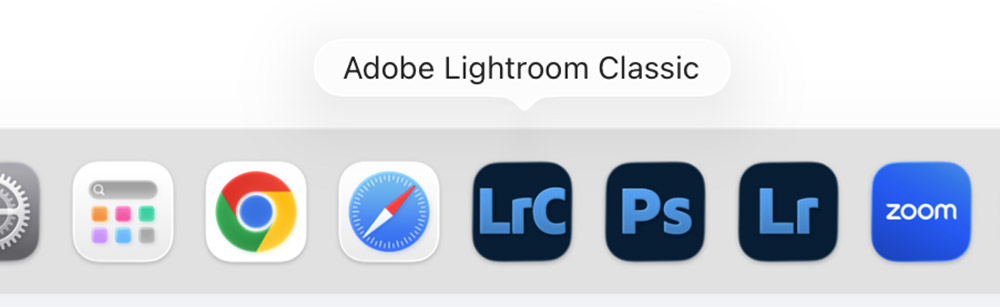
Whether you have 500 photos or 50,000, and whether you use a Mac or a PC, this class is about building a system that works for you.
Book your place NOW!
Members: £59.00 GBP | €67.80 EUR* | $80.75 USD*
Non Members: £99.00 GBP | €113.80 EUR* | $135.45 USD*
Places limited to 30 students
4 Live Lessons + 1 Year access to recordings
4 Live Lessons + 1 Year access to recordings (non members)
* Your purchase will be processed & charged in £ GBP – prices shown for € EUR & $ USD are provided only as an estimate
Frequently Asked Questions
If you have any further questions in advance of booking a place on this class, please get in touch. Always happy to help!
Adobe, the Adobe logo, Lightroom and Photoshop are registered trademarks of Adobe Systems Inc. in the USA and/or other countries. This online photography class is not endorsed or sponsored by Adobe Systems Inc.